
Amazon Bedrock for Beginners — What It Is, When to Use It, and Your First Hello World
Summary
- What Is Amazon Bedrock
- Why Teams Use It
- What Is Actually Inside Bedrock
- The Real Benefits
- The Real Downsides
- Real-Life Scenarios Where Bedrock Fits
- When You Should NOT Use Bedrock
- Setup Guide — Your First Bedrock Hello World
- Prerequisites
- Step 1 — Pick a Region and Request Model Access
- Step 2 — IAM Permissions
- Step 3 — Install the SDK
- Step 4 — Understand the Two Clients
- Step 5 — Understanding Model IDs
- Step 6 — Hello World with the Converse API
- Step 7 — Adding a System Prompt
- Step 8 — Streaming
- Step 9 — A Multi-Turn Conversation
- Step 10 — Error Handling You Will Actually Need
- What About Cost
- Bedrock vs Calling the Model Provider Directly
- Where to Go Next
- The Short Version
Every team that wants to ship an AI feature runs into the same wall about two weeks in. The prototype works. Then legal asks where the customer data goes. Security asks how you rotate the API key. Finance asks why there is a new vendor invoice. And someone asks what happens when you want to swap the model.
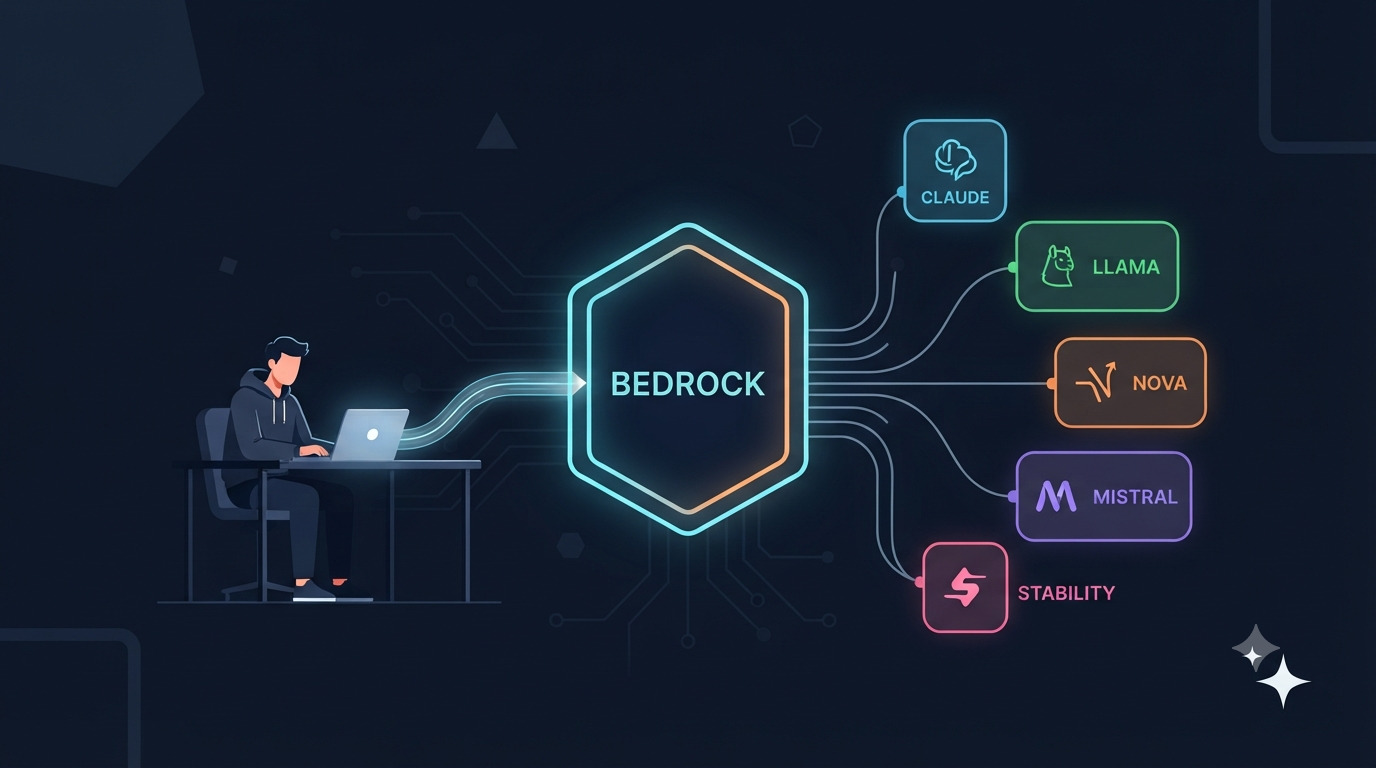
Amazon Bedrock exists for exactly that wall. It is AWS’s managed service for calling large language models — Claude, Llama, Mistral, Amazon Nova, Cohere, Stability and others — through one API, inside your own AWS account, with IAM controlling access and your existing AWS bill absorbing the cost.
This guide is written for someone who has never touched it. We will go through what it is, why it exists, what it is genuinely good at, where it is annoying, when you should not use it at all, and a hello world you can run in about ten minutes.
What Is Amazon Bedrock
The plainest description: Bedrock is a model gateway that lives inside AWS.
Without Bedrock, calling an LLM looks like this — you sign up with a model provider, get an API key, put that key in your environment, and send HTTPS requests to that provider’s servers. Your data leaves your infrastructure. Your billing is separate. Your access control is “whoever has the key.”
With Bedrock, you call an AWS endpoint instead. AWS handles the model hosting. You never provision a GPU, never download model weights, never think about inference servers. And crucially:
- Access control is IAM. The same roles and policies you already use for S3 and Lambda.
- Data stays in your AWS region. You choose
eu-central-1orap-southeast-1and inference happens there. - Billing is your AWS bill. No new vendor, no new procurement cycle.
- Models are swappable. Changing from Claude to Llama is changing a model ID string, not rewriting your integration.
That last point is the one people underestimate. If you build directly against one provider’s SDK, you are married to their request format. Bedrock’s Converse API gives you a single request shape that works across every model on the platform.
A useful distinction: Bedrock is not a model. It is the place models are served from. When someone says “we use Bedrock,” ask which model — that is the part that determines quality and price.
Why Teams Use It
Three reasons come up over and over.
1. The compliance conversation gets shorter. If your company is already on AWS and has signed AWS’s data processing agreements, adding Bedrock is usually an extension of an existing relationship rather than a new vendor review. For regulated industries — banking, healthcare, insurance, government — this alone justifies the choice.
2. Data residency is a dropdown. Financial regulators in the UAE, Singapore, the EU and elsewhere increasingly require that customer data be processed in specific geographies. With Bedrock you pick the region. That is the whole implementation.
3. No key sprawl. API keys get committed to repos, pasted into Slack, and left in old .env files. Bedrock uses IAM roles — your Lambda function assumes a role with bedrock:InvokeModel permission and there is no long-lived secret to leak in the first place. If you have ever done a credential rotation exercise, you know why this matters.
There is a fourth, quieter reason: it makes AI a normal part of your infrastructure. Your CloudWatch dashboards, your CloudTrail audit logs, your Terraform modules, your cost allocation tags — everything already works. AI stops being a special case that lives outside your platform.
What Is Actually Inside Bedrock
Bedrock is not one feature. It is a bundle. Here is what you get and what each piece is for.
| Component | What it does | When you need it |
|---|---|---|
| Model invocation | Call any available foundation model via one API | Always — this is the core |
| Knowledge Bases | Managed RAG. Point at S3, it chunks, embeds, and stores in a vector DB | You want the model to answer from your documents |
| Agents | Multi-step tool-calling. The model decides which of your Lambda functions to call | The task needs several steps and real actions |
| Guardrails | Content filters, PII redaction, denied topics, grounding checks | You are shipping to real users |
| Flows | Visual orchestration of prompts, knowledge bases and Lambdas | Non-engineers need to modify the pipeline |
| Data Automation | Extract structured data from PDFs, images, audio and video | Document-heavy workflows |
| Fine-tuning / Distillation | Customise a model on your data, or teach a cheap model to imitate an expensive one | You have thousands of labelled examples |
| Provisioned Throughput | Reserved capacity for predictable latency | High, steady production volume |
For your first project you need exactly one of these — model invocation. Ignore the rest until you have something working.
Guardrails deserves a special mention because it is the piece most people skip and later regret. Guardrails runs independently of the model. You can strip PII from a prompt before it reaches the model, block categories of content, and — the genuinely useful one — run a contextual grounding check that rejects an answer that is not supported by the documents you retrieved. That last feature is what stops your support bot from confidently inventing a refund policy.
The Real Benefits
Model choice without lock-in. You can A/B two different vendors’ models behind the same code path. When a better or cheaper model launches, you evaluate it by changing a string.
Security posture out of the box. VPC endpoints via PrivateLink mean traffic never touches the public internet. IAM policies can restrict which models which teams can call. CloudTrail logs every invocation.
No infrastructure. Serious point. Self-hosting an open model means GPU instances, model loading, batching, autoscaling, and someone on call for it. Bedrock is an API call.
Regional coverage. Available across many AWS regions including several in Europe, Asia-Pacific and the Middle East, plus GovCloud. If your users are in a region, there is a reasonable chance you can serve them from it.
It composes with what you have. Lambda triggers, Step Functions orchestration, S3 for documents, EventBridge for scheduling. Bedrock is just another AWS service in the diagram.
The Real Downsides
I would not trust a guide that only lists benefits. Here is the honest other side.
Feature lag. Bedrock is operated by AWS, not by the model vendors. When a model vendor ships a new capability on their own API, it can take weeks or longer to appear on Bedrock — and some features never arrive at all. If you need the newest capabilities the day they launch, Bedrock is not where you will get them.
Model IDs are fiddly. Bedrock model IDs are not the same as the vendor’s IDs. They carry a provider prefix, sometimes a version suffix, and sometimes a region prefix on top of that. Getting a ValidationException because you used the vendor’s model ID instead of the Bedrock one is the single most common beginner error. We will cover this properly below.
Regional availability is uneven. Not every model is in every region. You will find the model you want is in us-east-1 but not in the region your data has to stay in. Check before you design.
You must request model access. Models are not enabled by default. You go into the console and request access per model. This trips up everyone on their first attempt — your code is correct, you just have not been granted access to the model yet.
Quotas are low to start. Default rate limits are conservative. Load-testing your prototype will hit throttling long before you hit anything interesting. Requesting a quota increase is a support ticket with a wait.
IAM complexity. The thing that makes Bedrock secure also makes it fiddly. Getting AccessDeniedException because your role is missing one action is a normal Tuesday.
Not cheaper. People assume a cloud marketplace means discounts. It does not. Per-token prices are set separately by AWS and are broadly comparable to going direct. You are paying for governance and convenience, not for a better rate.
Real-Life Scenarios Where Bedrock Fits
Enough theory. Here is where I have actually seen it earn its place.
Payments and Fintech
This is the strongest fit, because the compliance argument and the technical argument point the same way.
KYC and KYB document processing. A customer uploads a passport, a trade licence and six months of bank statements. Bedrock Data Automation extracts structured fields, the model cross-checks name and address consistency across documents, and a human reviewer sees a pre-filled form with the discrepancies highlighted instead of a stack of PDFs. The documents never leave your AWS account, which is exactly what your compliance officer needs to hear.
Chargeback and dispute representment. Feed the transaction record, the merchant descriptor and the customer’s complaint text into the model, and generate the first draft of the dispute response packet. Guardrails strips the card PAN before the prompt is ever sent. A human approves before submission.
Transaction failure explanations. A merchant asks “why did my payout fail?” A Bedrock Agent calls your internal API, reads the gateway error code, and translates ERR_BENE_ACC_INVALID into “the beneficiary account number does not match the bank’s records — please confirm the IBAN.” Your support team stops answering the same question forty times a day.
AML alert triage. Your rules engine flags a transaction. The model writes the analyst-facing narrative: what fired, what the customer’s normal pattern looks like, what to check next. The analyst still makes the decision — you are removing the writing overhead, not the judgement.
Customer Support
A Knowledge Base over your help centre and past tickets, wired to a chat widget, with the contextual grounding guardrail enabled so the bot refuses to answer anything the retrieved documents do not support. This is the highest-volume, lowest-risk starting point for most companies. If you want to understand what makes retrieval actually work here, I wrote about that in RAG that actually works.
Internal Engineering Tools
- Incident summarisation. CloudWatch alarm fires, Lambda pulls the recent logs, Bedrock produces a human-readable root cause hypothesis, and it lands in Slack. Your on-call engineer starts from a paragraph instead of a log dump.
- Ask-the-codebase. A Knowledge Base over your repos, runbooks and architecture docs. New joiners stop interrupting seniors with questions the docs already answer.
- Pull request review assistance. Not to replace review, but to catch the obvious things before a human looks.
Document-Heavy Operations
Insurance claims. Photo of the damage plus the police report plus the policy document, and the model produces a severity estimate and a list of missing information. Contract review. Extract clauses and compare them against your standard playbook stored in a Knowledge Base. Invoice matching. The LLM handles the messy vendor-name variations that defeat fuzzy string matching — “Acme Trading LLC” versus “ACME TRADING L.L.C.” versus “Acme Trdg.”
Content and Catalogue Work
Product description generation at catalogue scale, video transcription and chaptering through Data Automation, on-brand image variants through the Stability models. Less glamorous than agents, but it is where a lot of the actual measurable ROI sits.
When You Should NOT Use Bedrock
This section matters as much as the one above.
You are not on AWS. If your stack lives on Google Cloud or Azure or a VPS, Bedrock means setting up AWS accounts, IAM, credentials and networking purely to make one API call. Use the model provider’s own API, or your own cloud’s equivalent. The governance benefit only exists if you already have AWS governance.
You need day-one access to the newest features. Covered above. If your product depends on a capability the moment it ships, go direct.
You are a solo developer or a very small team. The IAM setup, region selection, model access requests and quota tickets buy you nothing when there is no compliance requirement and no procurement process. An API key and ten lines of code will get you further, faster. Move to Bedrock when you have a reason.
You are just prototyping. Do not put infrastructure decisions ahead of finding out whether the idea works. Prototype with whatever is fastest. Migrate later — and if you use the Converse API shape, that migration is genuinely small.
Your workload is tiny and latency-critical. Cold starts and the extra network hop are real. For a handful of requests where every millisecond counts, measure before committing.
You want to fine-tune heavily on unusual data. Bedrock’s customisation options are limited compared to owning the training loop on SageMaker or your own hardware. If fine-tuning is central to your product rather than incidental, look at SageMaker instead.
Setup Guide — Your First Bedrock Hello World
Now the practical part. This takes about ten minutes.
Prerequisites
You need an AWS account, the AWS CLI installed and configured, and Python 3.9 or newer.
1
2
# Verify the CLI is set up and you know which account you are in
aws sts get-caller-identity
If that returns your account ID, you are ready. If not, run aws configure first.
Step 1 — Pick a Region and Request Model Access
This is the step everyone skips and then debugs for an hour. Models are opt-in.
- Open the AWS Console and switch to your chosen region.
us-east-1has the widest model selection — use it for learning, then check availability for the region you actually need. - Go to Amazon Bedrock → Model access in the left sidebar.
- Click Modify model access, tick the models you want, and submit.
Most models are granted immediately. A few require you to fill in a short use-case form. Until the status says Access granted, every API call will fail — and the error message is not always obvious about why.
Step 2 — IAM Permissions
Your user or role needs permission to invoke models. The minimum viable policy:
1
2
3
4
5
6
7
8
9
10
11
12
13
{
  "Version": "2012-10-17",
  "Statement": [
    {
      "Effect": "Allow",
      "Action": [
        "bedrock:InvokeModel",
        "bedrock:InvokeModelWithResponseStream"
      ],
      "Resource": "*"
    }
  ]
}
"Resource": "*" is fine while you are learning. In production, scope it to specific model ARNs so a compromised service cannot call your most expensive model.
There is also an AWS-managed policy called AmazonBedrockFullAccess if you want to move fast — but it grants far more than invocation, so do not attach it to production workloads.
Step 3 — Install the SDK
1
pip install boto3
That is it. There is no separate Bedrock SDK. Bedrock is part of boto3 like every other AWS service.
Step 4 — Understand the Two Clients
This confuses beginners, so let us be explicit. Bedrock exposes two different boto3 clients:
1
2
3
4
5
6
7
8
import boto3

# Control plane — list models, manage knowledge bases, configure guardrails.
# You will rarely use this.
bedrock = boto3.client("bedrock", region_name="us-east-1")

# Data plane — actually run inference. This is the one you want.
runtime = boto3.client("bedrock-runtime", region_name="us-east-1")
If you call invoke_model on the bedrock client, you will get an attribute error. It has to be bedrock-runtime.
Useful control-plane call — list every model your account can actually see:
1
2
3
4
5
import boto3

bedrock = boto3.client("bedrock", region_name="us-east-1")
for model in bedrock.list_foundation_models()["modelSummaries"]:
    print(model["modelId"], "|", model["providerName"])
Run this before anything else. It tells you the exact model IDs available to you in that region, which saves guessing.
Step 5 — Understanding Model IDs
Bedrock model IDs are not the vendor’s model IDs. They follow this shape:
1
<provider>.<model-name>
So a Claude model on Bedrock carries an anthropic. prefix, a Llama model carries a meta. prefix, and so on. Older models additionally carry a date and version suffix in the form anthropic.claude-3-5-sonnet-20241022-v2:0.
There is one more wrinkle: cross-region inference profiles. For many newer models, AWS routes your request across a group of regions to improve availability. Those IDs carry an extra geographic prefix:
1
2
3
us.anthropic.claude-...     # US inference profile
eu.anthropic.claude-...     # EU inference profile
apac.anthropic.claude-...   # Asia-Pacific inference profile
If you get a ValidationException saying the model requires an inference profile, that is what it is asking for — add the geographic prefix. Always take the exact ID from list_foundation_models() or the console rather than typing it from memory.
Step 6 — Hello World with the Converse API
Bedrock has two invocation APIs. The older invoke_model takes a raw JSON body in each vendor’s own format — you have to know Anthropic’s schema, Meta’s schema, and so on. Use converse instead. It gives you one unified format across every model.
1
2
3
4
5
6
7
8
9
10
11
12
13
14
15
16
17
18
19
20
21
22
23
import boto3

runtime = boto3.client("bedrock-runtime", region_name="us-east-1")

# Use the exact ID from list_foundation_models() for your region
MODEL_ID = "us.anthropic.claude-sonnet-5"

response = runtime.converse(
    modelId=MODEL_ID,
    messages=[
        {
            "role": "user",
            "content": [{"text": "Explain what Amazon Bedrock is in two sentences."}],
        }
    ],
    inferenceConfig={
        "maxTokens": 512,
        "temperature": 0.3,
    },
)

print(response["output"]["message"]["content"][0]["text"])
print("\nTokens used:", response["usage"])
Run it. If you see a paragraph of text and a token count, you have a working Bedrock integration.
Note the response shape — output.message.content is a list of blocks, not a string. Reaching straight for [0]["text"] works for simple text replies but will break the moment you add tool use, so handle it properly in real code.
Step 7 — Adding a System Prompt
A system prompt sets the model’s role and constraints. In Converse it is a separate top-level parameter, not part of the message list:
1
2
3
4
5
6
7
8
9
10
11
12
13
response = runtime.converse(
    modelId=MODEL_ID,
    system=[
        {"text": "You are a payments support assistant. Answer in plain English. "
                 "Never invent transaction details. If you do not know, say so."}
    ],
    messages=[
        {"role": "user", "content": [{"text": "Why would an IBAN transfer be rejected?"}]}
    ],
    inferenceConfig={"maxTokens": 512, "temperature": 0.2},
)

print(response["output"]["message"]["content"][0]["text"])
Step 8 — Streaming
For anything user-facing, stream the response. Waiting eight seconds for a complete answer feels broken; watching it type feels fast even at the same total latency.
1
2
3
4
5
6
7
8
9
10
11
12
13
stream = runtime.converse_stream(
    modelId=MODEL_ID,
    messages=[
        {"role": "user", "content": [{"text": "Write a short paragraph about AWS IAM."}]}
    ],
    inferenceConfig={"maxTokens": 512},
)

for event in stream["stream"]:
    if "contentBlockDelta" in event:
        print(event["contentBlockDelta"]["delta"]["text"], end="", flush=True)
    elif "metadata" in event:
        print("\n\nUsage:", event["metadata"]["usage"])
Step 9 — A Multi-Turn Conversation
The API is stateless. Bedrock does not remember previous turns — you send the whole conversation every time. Managing that history is your job.
1
2
3
4
5
6
7
8
9
10
11
12
13
14
15
16
17
18
19
20
21
22
import boto3

runtime = boto3.client("bedrock-runtime", region_name="us-east-1")
MODEL_ID = "us.anthropic.claude-sonnet-5"

conversation = []

def ask(question: str) -> str:
    conversation.append({"role": "user", "content": [{"text": question}]})

    response = runtime.converse(
        modelId=MODEL_ID,
        messages=conversation,
        inferenceConfig={"maxTokens": 1024},
    )

    reply = response["output"]["message"]
    conversation.append(reply)          # keep the assistant turn in history
    return reply["content"][0]["text"]

print(ask("What is an IBAN?"))
print(ask("How is it different from a SWIFT code?"))   # 'it' resolves correctly
The second question works because the first exchange is still in conversation. This is also where costs creep up — every turn resends the entire history, so long conversations get expensive. Truncate or summarise old turns once the history gets long.
Step 10 — Error Handling You Will Actually Need
These four errors cover the overwhelming majority of what you will hit:
1
2
3
4
5
6
7
8
9
10
11
12
13
14
15
16
17
18
19
20
21
22
23
24
25
26
27
28
29
import boto3
from botocore.exceptions import ClientError

runtime = boto3.client("bedrock-runtime", region_name="us-east-1")

try:
    response = runtime.converse(
        modelId=MODEL_ID,
        messages=[{"role": "user", "content": [{"text": "Hello"}]}],
        inferenceConfig={"maxTokens": 256},
    )
except ClientError as e:
    code = e.response["Error"]["Code"]

    if code == "AccessDeniedException":
        # Either your IAM role lacks bedrock:InvokeModel,
        # or you never requested access to this model in the console.
        print("Permission problem — check IAM and Model Access.")
    elif code == "ValidationException":
        # Almost always a wrong model ID, or a missing inference profile prefix.
        print("Bad request:", e.response["Error"]["Message"])
    elif code == "ThrottlingException":
        # You hit your quota. Retry with exponential backoff.
        print("Throttled — back off and retry.")
    elif code == "ResourceNotFoundException":
        # The model does not exist in this region.
        print("Model not available in this region.")
    else:
        raise
Add exponential backoff for throttling from the start. boto3 has built-in retries, but the defaults are conservative — configure them explicitly:
1
2
3
4
from botocore.config import Config

config = Config(retries={"max_attempts": 5, "mode": "adaptive"})
runtime = boto3.client("bedrock-runtime", region_name="us-east-1", config=config)
adaptive mode uses client-side rate limiting and backs off intelligently. It is the right default for Bedrock.
What About Cost
Bedrock is billed per token — you pay for what goes in and what comes out, at different rates. Output tokens cost meaningfully more than input tokens on every model.
Rather than quote numbers that will be out of date, here is how to think about it:
- Prices vary by model by more than an order of magnitude. The smallest models cost a fraction of the largest. Choose the cheapest model that passes your quality bar, not the best model available.
- Check the current rates on the AWS Bedrock pricing page before you build a business case. They change.
- Measure early. Every Converse response includes a
usageobject with the exact token counts. Log it from day one and you will know your real cost per request within a week. - Prompt caching helps a lot where supported — a long system prompt or a large retrieved document that repeats across requests can be cached and billed at a much lower rate on subsequent calls.
- Provisioned Throughput is a commitment, priced hourly rather than per token. It only makes sense at high, steady volume. Do not start there.
- Set a budget alarm. AWS Budgets with an alert at a threshold you would notice. A runaway loop calling a large model is an expensive way to learn this lesson.
Bedrock vs Calling the Model Provider Directly
The decision, condensed:
| Bedrock | Direct provider API | |
|---|---|---|
| Setup | AWS account, IAM, model access request | API key |
| Time to first call | ~10 minutes | ~2 minutes |
| Data residency | Pick your AWS region | Wherever the provider runs |
| Access control | IAM roles and policies | API key |
| New features | Delayed, sometimes absent | Day one |
| Billing | Your AWS bill | New vendor |
| Model variety | Many vendors, one API | One vendor |
| Best for | Regulated, AWS-native, multi-model teams | Small teams, prototypes, cutting-edge needs |
If you find yourself unable to decide, the question that resolves it is: does anyone at your company have to approve where customer data is processed? If yes, Bedrock. If no, go direct and revisit later.
Where to Go Next
Once your hello world runs, the natural progression is:
- Add a Knowledge Base so the model can answer from your own documents. Understand the retrieval fundamentals first — RAG that actually works covers what separates a demo from something that survives production.
- Add Guardrails, particularly the contextual grounding check. This is what makes the difference between a bot you can put in front of customers and one you cannot.
- Try Agents when a single prompt is no longer enough and the model needs to take multi-step actions. If you want the conceptual grounding, building your first AI agent walks through the loop from first principles, and the Google ADK guide shows how a full agent framework approaches the same problems.
- Look at MCP if you want a standard way to expose your internal tools to models — MCP servers explained covers the protocol.
The Short Version
Amazon Bedrock is the right choice when you are already on AWS and someone in your organisation cares about where the data goes, who can access the model, and which line of the budget it comes from. It trades day-one access to the newest features for governance, and for a lot of companies that is a trade worth making.
It is the wrong choice when you are one person with an idea and no compliance requirements. In that case the extra setup buys you nothing.
Start with the hello world above. Log your token usage. Set a budget alarm. Then decide whether the next thing you need is retrieval, guardrails, or agents — and add exactly one of them at a time.